Smart Home Privacy: What Your Devices Collect and How to Stop It
Smart home privacy is one of the most overlooked issues in modern connected living. You installed a smart camera to keep your home safe. You set up a voice assistant to make life easier. You added a smart thermostat to save money on energy bills. What you probably didn’t sign up for — but what’s happening anyway — is that every one of those devices is quietly collecting data about you, your family, and the way you live your life.
This isn’t a scare story. It’s something every smart home owner needs to understand, because the data your devices collect doesn’t just sit there. It moves, it’s stored on remote servers, it gets shared with third parties — and in some cases, it ends up in places you’d never expect. A 2026 study found that only 8% of smart thermostat owners read the privacy policy before buying, and 55% don’t understand how their device collects data at all.
Let’s change that.
Smart Home Privacy: What Each Device Type Is Collecting
The amount of data a typical smart home generates is staggering. Here’s a breakdown by device type:
Voice Assistants (Alexa, Google Home, Siri)
These are the most obvious data collectors in your home. Every voice command is recorded, sent to a cloud server for processing, and stored. Amazon keeps Alexa recordings indefinitely unless you actively delete them. Both Amazon and Google have admitted to having employees review recordings for “quality purposes.” That means real humans may have heard snippets of your conversations.
Beyond voice, these devices log timestamps of every command, the wake word that triggered them, your home’s location, and behavioral patterns — like what time you turn lights on, when you ask for music, and how often you check the weather.
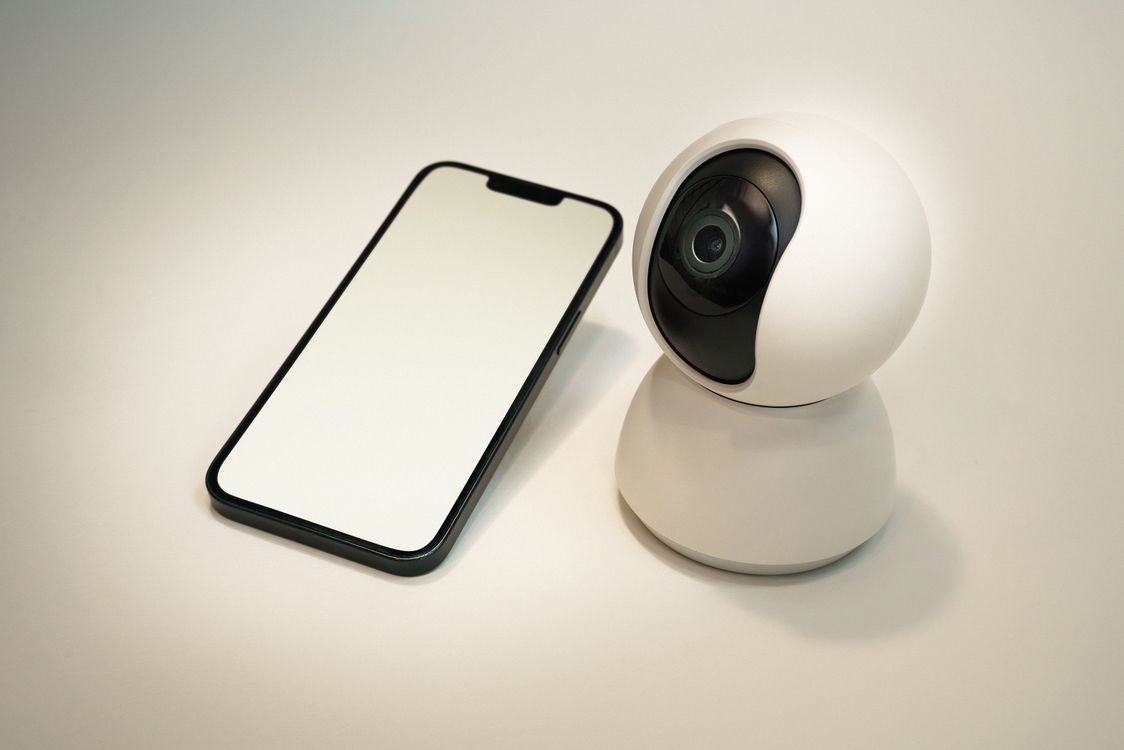
Security Cameras and Video Doorbells
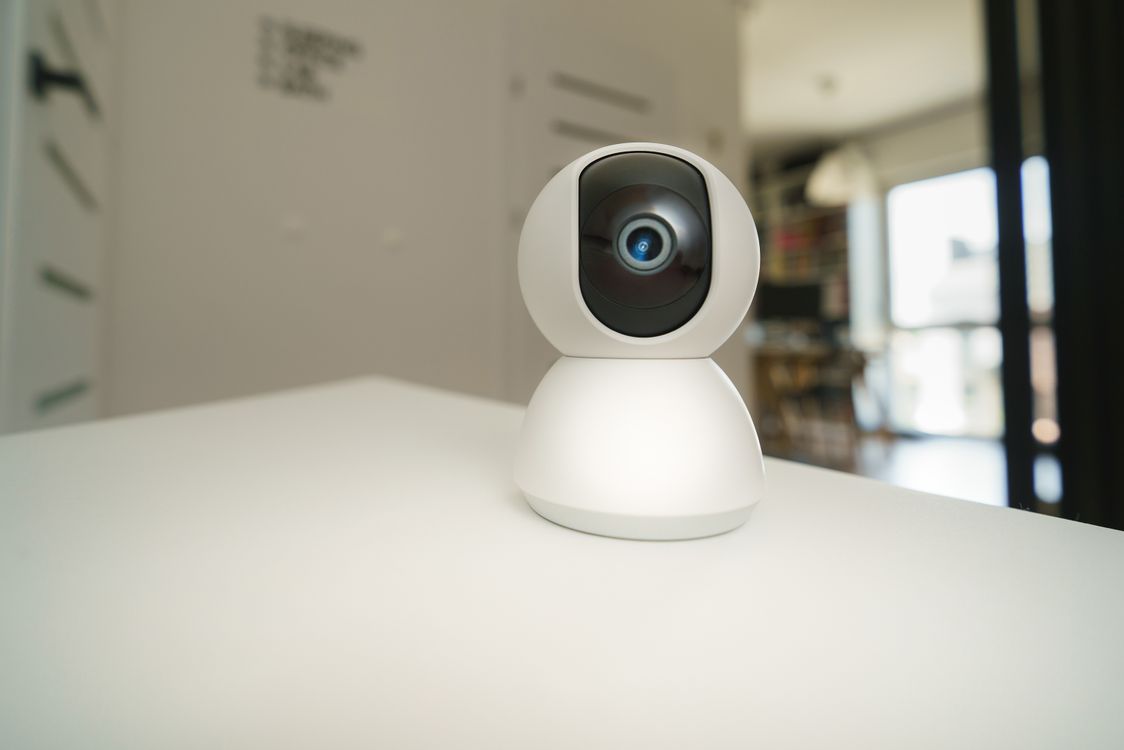
Smart cameras collect continuous video footage, motion event logs, and facial data. Video doorbells like Ring capture license plates, visitor patterns, and in some cases 24/7 footage of your street. Ring has a documented history of sharing footage with law enforcement, often without a warrant. If you’re evaluating cameras, our guide to smart home security cameras covers the privacy differences between indoor and outdoor models in detail.
A well-documented security incident in 2021 involved a Wyze data breach that exposed logs and footage metadata for millions of users. Ring itself settled with the FTC in 2023 after it was found that employees and contractors had unrestricted access to customer videos.
Smart Thermostats
Your thermostat knows when you’re home, when you leave, when you sleep, and when your schedule changes. Combined with your home’s address, that data paints a detailed picture of your routines that would be valuable to advertisers, insurance companies, and potentially law enforcement. Nest’s privacy policy allows Google to use thermostat data to deliver targeted ads. For a broader look at what smart thermostats can do, see our smart home climate control guide.
Robot Vacuums
This one surprises most people. Your robot vacuum maps every room in your home — its exact dimensions, furniture layout, and floor plan. In 2022, photos taken by iRobot’s development Roombas during testing leaked online. Shortly after, Amazon acquired iRobot for $1.7 billion. That acquisition raised significant concerns about Amazon gaining access to detailed interior maps of millions of homes.
Smart Plugs and Budget Devices
Cheap smart plugs — especially no-name brands from Amazon — often transmit usage data unencrypted and have weak security. Some have been found to contain undocumented features that connect to servers in other countries. A compromised smart plug on your home network can act as an entry point to reach your laptop, router, and other devices.
Where Your Smart Home Privacy Data Goes After It Leaves Your Home
Once data leaves your device, it typically lands on the manufacturer’s cloud servers. From there, a few things can happen:
- Third-party sharing: Amazon’s Alexa terms allow data sharing with service providers and analytics companies. This data can reach advertisers and data brokers, who aggregate it with data from other sources to build detailed consumer profiles.
- Law enforcement requests: Requests for smart home data from law enforcement have increased significantly over the past several years. Smart home data has appeared as evidence in criminal cases, divorce proceedings, and custody disputes.
- Company acquisitions and shutdowns: When a company is acquired or goes out of business, its data assets — including your home data — can transfer to new ownership. What the new owner does with that data isn’t always clear.
- Insurance and financial profiling: Insurance companies have begun exploring smart home data as a factor in pricing. Some already offer discounts in exchange for data sharing — which means the reverse is also possible.
10 Steps to Protect Your Smart Home Privacy Right Now
You don’t have to rip out every smart device to protect your privacy. These smart home privacy steps make a real difference without gutting your setup.
1. Put Smart Devices on a Separate Network
This is the single most effective thing you can do. Create a guest or IoT network on your router and move every smart device onto it. This means that if a smart plug or camera is compromised, the attacker can’t reach your laptop, phone, or NAS on the main network. Most modern routers support this with a few clicks in the settings panel.
2. Delete Your Voice History Regularly
Both Alexa and Google Assistant let you set up automatic voice history deletion. In the Alexa app, go to Settings → Alexa Privacy → Manage Your Alexa Data and set recordings to auto-delete after 3 months (or never save them). In Google Home, go to My Activity → Delete activity by and set an automatic deletion window.
3. Review App Permissions on Your Phone
Check what permissions each smart home app has requested on your phone. Does your smart bulb app really need access to your contacts and location? Probably not. On iOS, go to Settings → Privacy & Security. On Android, go to Settings → Apps → Permissions. Revoke anything that seems unnecessary.
4. Enable Two-Factor Authentication
Turn on 2FA for every smart home account — Ring, Nest, SmartThings, Arlo, all of them. If an attacker gains access to your camera account, 2FA stops them cold even if they have your password. Use an authenticator app rather than SMS when the option is available.
5. Mute Voice Assistants When You’re Not Using Them
Every Echo, Google Home, and Apple HomePod has a physical mute button. It’s not paranoia — it’s just good practice. When you’re having a private conversation or you’re not actively using the device, mute it. The microphone hardware disconnect is more reliable than software-only settings.
6. Use Strong, Unique Passwords and Change Default Credentials
Change the default passwords on every device — especially routers and network-connected cameras. Many security breaches start with someone discovering a camera that still has “admin/admin” as its login. Use a password manager to generate and store unique passwords for each account.
7. Keep Firmware Updated
Manufacturers release firmware updates that patch security vulnerabilities. Enable automatic updates wherever possible. A device that hasn’t been updated in two years is likely running with known security holes that anyone can exploit. The National Institute of Standards and Technology (NIST) recommends treating firmware updates as a basic security hygiene requirement — no different from changing your passwords.
8. Read Privacy Settings in Each App
Most smart home apps have privacy settings buried in menus. In Samsung SmartThings, turn off location tracking and activity history you don’t use. In Philips Hue, disable remote access if you only control lights from home. In Ring, turn off the “Neighbors” feature if you don’t want your footage shared with the Ring community portal.
9. Consider Local Processing with Home Assistant
Home Assistant is an open-source home automation platform that processes everything locally — no cloud, no subscriptions, no data leaving your home. It supports thousands of devices and, for smart home privacy-conscious users, it’s increasingly the preferred alternative to cloud-dependent platforms. The setup is more technical than a plug-and-play hub, but the benefits are substantial. Our article on making smart home devices work together covers local hub options.
10. Factory Reset Before Selling or Discarding Devices
If you sell an old smart camera, router, or hub without resetting it, the new owner may be able to access your Wi-Fi credentials, stored recordings, or device history. Always factory reset smart devices before passing them on. The reset option is typically in the device’s app or via a physical button held for several seconds.
Smart Home Privacy in 2026: The Bigger Picture
The smart home industry is at a turning point. A 2026 Forbes analysis found that 70% of consumers would switch to a different smart home brand if a competitor offered better privacy protections. The market pressure is there — manufacturers are starting to respond with features like local processing, opt-in data sharing, and plain-language privacy disclosures.
New standards like Matter and Thread are helping too. Matter-certified devices are required to meet baseline security requirements, and the move toward local mesh networking with Thread means less data needs to leave your home at all for devices to communicate with each other. Our guide to Matter smart home devices explains how these newer standards improve both compatibility and security.
The FCC’s voluntary Cyber Trust Mark program, launched in 2024, lets consumers quickly identify devices that meet minimum cybersecurity requirements. When shopping for new devices, look for that label — it’s not a guarantee of perfect smart home privacy, but it’s a meaningful baseline.
Smart home technology doesn’t have to come at the cost of your privacy. The steps above take a few hours total, and they meaningfully reduce the amount of data you’re giving away. Smart home privacy isn’t about paranoia — it’s about making deliberate choices. Your home is still your home. Make sure it stays that way.