Smart Lock Battery Died? How to Get In and Never Get Locked Out Again
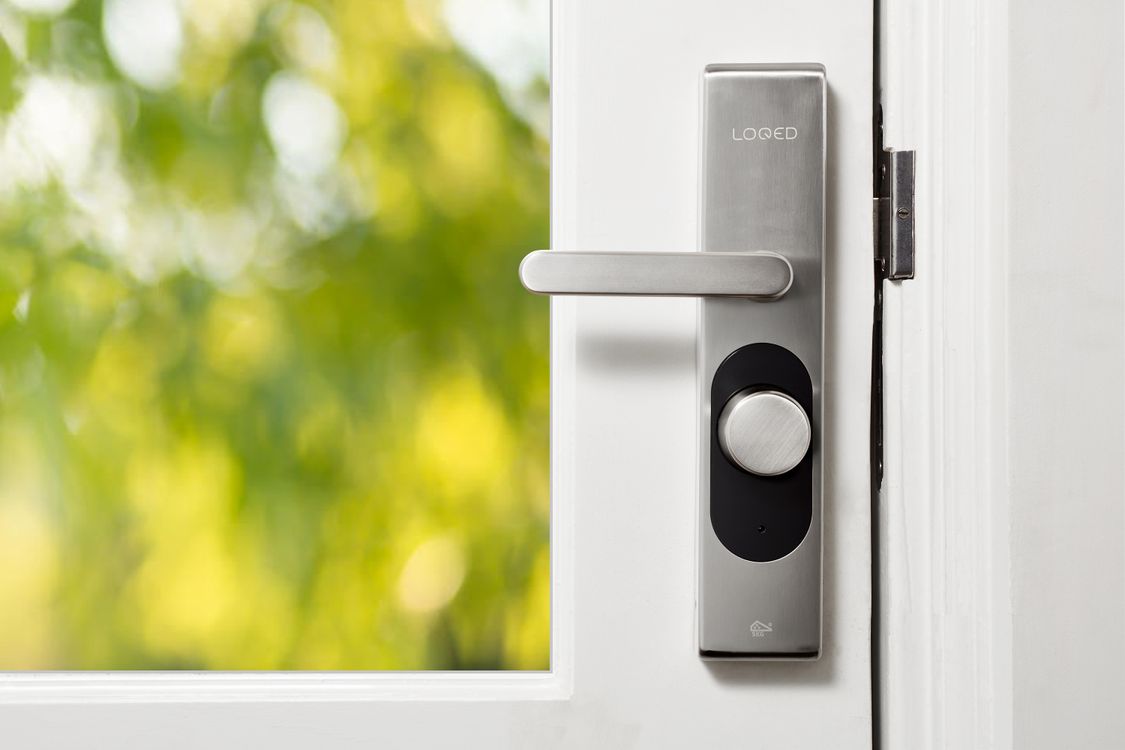
A dead smart lock battery is the number one fear people have about smart locks, and it’s a reasonable one. Nobody wants to be standing on the porch in the cold, tapping a keypad that won’t light up. The good news is that smart lock manufacturers planned for this. Almost every model gives you plenty of warning, and nearly all of them have at least one backup way in.
This guide explains how long a smart lock battery usually lasts, what to do if it dies while you’re outside, the best batteries to use, and the habits that make sure you never get locked out.
How Long Does a Smart Lock Battery Last?
Most smart locks run on AA batteries, and a set typically lasts anywhere from several months to about a year. The exact number depends on:
- How often the door is used. A busy front door drains batteries faster than a side door.
- Wi-Fi versus low-power radios. Locks with built-in Wi-Fi usually use more power than ones that connect through Bluetooth, Zigbee, Z-Wave, or Thread.
- Features like auto-unlock and frequent app checks.
- Temperature. Cold weather reduces battery performance, just as it does for battery cameras in cold weather. An exterior keypad on a north-facing door will drain faster in winter.
Warning Signs Your Smart Lock Battery Is Low
You’ll rarely be surprised if you pay attention. Most locks warn you in several ways, often weeks in advance:
- App notifications saying the battery is low.
- A blinking or red light on the keypad.
- Beeping or chirping when you lock or unlock.
- Slower motor movement or the lock struggling to throw the bolt.
When you see any of these, replace the smart lock battery right away rather than waiting for it to die completely.
What to Do If Your Smart Lock Battery Dies
If you’re already locked out, try these options in order. Not every lock has every option, so check your model’s manual now so you know which ones apply to you.
1. Use the Physical Key
Most smart deadbolts still have a traditional keyway. This is why it’s worth keeping a key somewhere safe, such as with a trusted neighbor, in your car, or in a lockbox.
2. Use the 9-Volt Emergency Contacts
Many keypad locks, including several Yale and Schlage models, have contacts on the bottom of the exterior keypad. Hold a 9-volt battery against them and the lock gets enough temporary power for you to enter your code and unlock. Schlage’s support site explains how this works on its Schlage Control locks, and other brands follow the same idea. Keep a 9-volt in your car if your lock supports this.
3. Use USB-C Emergency Power
Some newer locks have a USB-C port on the outside. Plug in a power bank or your phone charger and the lock wakes up long enough to unlock.
4. Go Through Another Door
If you have a smart garage controller or a second door with a regular lock, use it. Our guide to the smart garage door opener explains how to open your garage remotely.
5. Call a Locksmith
As a last resort, a locksmith can open the door. It costs money, which is a good argument for preparing in advance.
Smart Lock Battery Backup Options
| Backup method | How it works | Common on |
|---|---|---|
| Physical key | Traditional keyway | Most smart deadbolts |
| 9-volt contacts | Temporary power from a 9V battery | Many keypad locks |
| USB-C port | Temporary power from a power bank | Some newer locks |
| Another entry | Garage or back door | Depends on your home |
Which Batteries Should You Use?
This is where many people go wrong.
- Follow the manufacturer’s recommendation. Most smart locks are designed for standard alkaline AA batteries.
- Be careful with rechargeable batteries. Many rechargeable AAs run at a slightly lower voltage, which can confuse the lock’s battery meter and cause it to die without much warning. Only use them if your lock supports them.
- Lithium AAs last longer and handle cold better, but check that your lock allows them. Some locks report battery level inaccurately with lithium cells.
- Replace all batteries at once with a fresh set from the same pack.
Some locks use built-in rechargeable battery packs instead. Those usually need to be removed and charged with a cable every few months.
Habits That Prevent Lockouts
- Turn on low battery notifications in the app and don’t ignore them.
- Put a reminder on your calendar to check or replace the batteries every six months, or before winter.
- Keep a spare key in a secure place.
- Keep a 9-volt battery or power bank in your car if your lock supports emergency power.
- Share access with a trusted family member or neighbor who can let you in.
For more on lock reliability and security, see our guides on whether smart locks are safe and the best smart locks available today.
Don’t Let a Smart Lock Battery Lock You Out
A dead smart lock battery sounds scary, but in practice it’s one of the most avoidable smart home problems. Your lock will warn you well in advance, most models have a physical key or emergency power option, and a few simple habits mean you’ll almost never need them. Change your batteries before winter, keep a backup plan in the car, and enjoy the convenience of keyless entry without the worry.