Smart Home Subscription Costs: What You Actually Pay and How to Minimize It
Smart home devices often come with subscription fees that aren’t obvious at purchase. A $50 smart camera may work fine without a subscription, or it might become nearly useless. Understanding smart home subscription costs before you buy is the difference between a useful system and a collection of devices with locked features.
Why Smart Home Subscriptions Exist
Cloud storage, professional monitoring, advanced AI features, and multi-user account management all cost money to run. Manufacturers have moved toward subscription models because they provide recurring revenue and offset hardware subsidies — many smart home devices are sold below cost with the expectation that subscriptions will follow.
This doesn’t make subscriptions inherently bad, but it does mean you need to evaluate the total cost of ownership, not just the upfront device price.
Smart Security Cameras
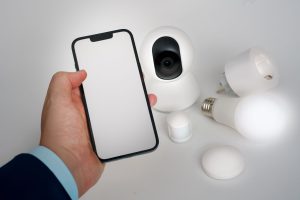
This is where subscriptions hit hardest. Most budget cameras require a subscription to store video longer than 24 hours, enable intelligent alerts (person vs. motion detection), or access footage from multiple cameras in a single view.
Ring Protect: $4.99/month per device or $10/month for the whole home (includes 60 days of video history). Without it, Ring cameras only support live view — no recorded footage.
Nest Aware: $8/month for 30 days of history, $15/month for 60 days. Required for Familiar Faces and package detection on newer Nest cameras.
Wyze Cam Plus: $1.99/month per camera. Without it, Wyze cameras save 12-second clips with a 5-minute cooldown. With it, you get full-length event recording and AI detection.
The camera brands that don’t require subscriptions for basic recording include Reolink and Amcrest (which use local storage via SD card or NAS). If you want to avoid ongoing costs, local storage is the way to go. Check our smart camera guide for a full comparison.
Smart Doorbells
Ring and Nest Doorbell both require the same subscriptions as their camera lines to access recorded footage. Eufy doorbells store footage locally (on-device or on a HomeBase hub) with no subscription required for most features — one of the reasons they’ve become popular with subscription-averse buyers. See our smart doorbell review for more details.
Smart Locks
Most smart locks don’t require subscriptions for core functionality — unlocking, setting codes, and checking status. The features that typically require paid plans: remote access (some brands charge for this), activity log history beyond 30 days, and smart home integrations beyond the basics.
August Connect Wi-Fi: No subscription for most features, but some advanced integrations require a plan. Schlage Encode: No subscription required at all. Yale Access: The Yale Access App is free; enhanced history requires the paid plan.
Smart Home Hubs and Platforms
Home Assistant: Free and open source. No subscription. This is a major reason it’s popular with users who want to control costs long-term.
SmartThings: Free for basic use. Some advanced features and certain integrations require Samsung’s premium services.
Apple HomeKit: Free. No subscription required to use HomeKit.
Amazon Alexa: Free. Some skills and integrations from third-party services have their own costs.
Google Home: Free. Some advanced routines require Google One membership. Read our Google Home vs Amazon Echo comparison to see how the platforms differ on ongoing costs.
Smart Thermostats
This is one of the better categories for subscriptions — most don’t require them. Nest, Ecobee, and Honeywell all offer full core functionality without a paid plan. Ecobee’s “SmartSecurity” feature ($10/month) adds professional monitoring of its sensors, but the thermostat and basic automations work without it.
How to Calculate Your Total Cost
When evaluating a smart home device, add: upfront hardware cost + (monthly subscription × 36 months). This gives you a three-year total cost of ownership, which is a reasonable product lifecycle for most smart home hardware.
A $50 camera that costs $5/month for cloud storage is $230 over three years. A $150 camera with local storage and no subscription is $150 total. The math favors local storage for most users, though cloud storage does offer off-site backup that local-only setups lack.
If you’re building a larger system, look for devices that use a home-level subscription rather than per-device pricing — Ring Protect Plus, for example, covers unlimited devices for $10/month, which is far more cost-effective than per-device plans once you have 3+ cameras.