Smart Baby Monitor Guide: Wi-Fi vs Local, Breathing Trackers and What to Buy
Choosing a smart baby monitor is one of the first tech decisions new parents make, and it’s surprisingly confusing. Some monitors stream to your phone, track breathing, and analyze sleep. Others are simple cameras with a dedicated screen that never touch the internet. Prices run from under $100 to over $400, and several of the fanciest features come with a subscription.
This guide breaks down the real differences, what’s worth paying for, the safety and privacy points every parent should know, and which type of monitor fits which family.
Wi-Fi Smart Baby Monitor vs Local Monitor
This is the most important decision, and it shapes everything else.
Wi-Fi Smart Monitors
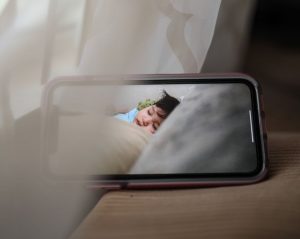
A Wi-Fi smart baby monitor streams video to an app on your phone. You can check in from anywhere, share access with a partner or grandparent, get alerts for crying or movement, and in many cases see sleep analytics over time.
The downsides: they depend on your home internet, video usually has a delay of a few seconds, and they bring privacy and security considerations because video passes through the internet.
Local (Non-Wi-Fi) Monitors
Local monitors connect the camera directly to a dedicated handheld parent screen using their own radio signal. They work even when your internet is down, start up instantly, and can’t be reached from the internet. The trade-off is that you can only watch from inside or near your home, and you carry another device around.
Many families end up happiest with a local monitor for the nursery and a phone app only if they need remote viewing.
Popular Smart Baby Monitor Options
Nanit Pro: Best for Sleep Insights
Nanit is the most popular Wi-Fi monitor for parents who want data. Its overhead camera view tracks sleep patterns, and with Nanit’s breathing wear it can show breathing motion in real time. The video quality is excellent and the app is polished.
- Approx. price: around $300 for the camera
- Subscription: advanced sleep insights require an annual plan after the included period
- Best for: parents who want sleep tracking and remote viewing
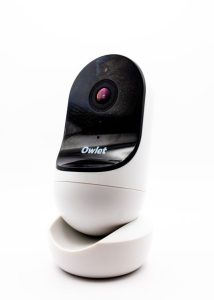
Owlet Dream Duo: Best for Vital Sign Tracking
Owlet pairs a camera with the Dream Sock, a wearable that tracks heart rate and oxygen levels. The current Dream Sock received FDA clearance, which earlier Owlet socks did not have.
- Approx. price: around $300 to $400 for the sock and camera bundle
- Best for: parents who want vital sign data, after talking with their pediatrician
Eufy SpaceView: Best Local Monitor
The Eufy SpaceView uses a dedicated parent unit with a large screen, remote pan and tilt, and long battery life. It doesn’t need Wi-Fi at all.
- Approx. price: roughly $130 to $160
- Best for: parents who want reliability and privacy without an app
Budget Local Monitors
Brands like Infant Optics and VAVA make simpler local monitors with long range and multi-camera support. They lack smart features, but they’re dependable and subscription-free, which is exactly what many parents want.
Smart Baby Monitor Comparison
| Monitor | Approx. price | Connection | Extra features | Subscription |
|---|---|---|---|---|
| Nanit Pro | ~$300 | Wi-Fi app | Sleep tracking, breathing motion | For advanced insights |
| Owlet Dream Duo | $300 to $400 | Wi-Fi app | Heart rate and oxygen sock | Optional |
| Eufy SpaceView | $130 to $160 | Local parent unit | Pan and tilt | None |
| Infant Optics / VAVA | $100 to $170 | Local parent unit | Long range, multiple cameras | None |
What About Breathing and Vital Sign Monitors?
Wearables and breathing trackers are the most emotional purchase in this category, so it’s worth being clear about what they do and don’t do.
The American Academy of Pediatrics advises parents not to rely on home cardiorespiratory or vital-sign monitors as a way to reduce the risk of SIDS. The proven protections are safe sleep practices: placing babies on their back, on a firm flat surface, with no blankets, pillows, or bumpers in the crib. The AAP’s parent guide to safe sleep explains these in detail.
That doesn’t mean these devices have no value. Many parents find the reassurance helps them sleep, and some babies have specific medical needs. Just treat the data as extra information, not a safety net, and talk to your pediatrician before relying on it. False alarms are also common and can create more anxiety rather than less.
Safety Tips for Any Baby Monitor
- Keep cords out of reach. Mount the camera and route the cable so it’s at least three feet from the crib and anything the baby can pull. Cord covers help.
- Mount the camera securely on the wall or a dedicated stand, never on the crib rail.
- Don’t let the monitor replace checking in. Monitors are a supplement to supervision.
Privacy and Security for Wi-Fi Monitors
Any internet-connected camera can be a target, and a nursery camera is the last place you want a stranger watching. A few steps go a long way:
- Use a strong, unique password and turn on two-factor authentication in the app.
- Keep the firmware updated, and turn on automatic updates if available.
- Choose established brands with a track record on security and clear privacy policies.
- Review who has access and remove anyone who no longer needs it.
Our guide to smart home privacy covers these settings in more detail. If your monitor keeps disconnecting, the fixes in our guide to smart home devices going offline usually help.
Features That Are Actually Useful
- Room temperature and humidity readings, which help keep the nursery comfortable. An indoor air quality monitor can add more detail.
- Cry and sound alerts, so you don’t need the audio on all night.
- Night vision, essential for a dark nursery.
- Two-way audio, handy for soothing without going in, especially with toddlers.
Features like lullabies and auto-captured photos are nice but rarely decide the purchase.
Which Smart Baby Monitor Should You Choose?
If you want sleep data and remote viewing, a Wi-Fi smart baby monitor like Nanit is the leader. If you want maximum reliability and privacy, a local monitor like the Eufy SpaceView does the essential job well with no subscription. And if you’re considering vital-sign tracking, talk to your pediatrician first and pair any device with safe sleep practices.
Whatever you choose, factor in ongoing costs before you buy. Our breakdown of smart home subscription costs shows how quickly small monthly fees add up.