Alexa Routines: How to Set Them Up and Which Ones Are Actually Worth It
Alexa routines are one of those features that sounds complicated in the documentation and turns out to be surprisingly straightforward once you’ve built one or two. The basics are genuinely easy. The advanced options — the ones that make a smart home feel actually smart rather than just remotely controlled — take a bit more thought but aren’t difficult once you understand the structure.
This guide covers Alexa routines from the ground up: what they are, how to build them, and the specific setups that are actually worth using rather than just technically impressive.
What Alexa Routines Are and How They Work
A routine is a sequence of actions that Alexa performs automatically when a specific trigger occurs. The trigger can be a voice command, a time of day, a sensor event, a device status change, or your location. The actions can include controlling devices, playing audio, sending announcements, adjusting settings, or running other routines.
You build routines in the Alexa app: More → Routines → the + button. Name the routine, set a trigger, add actions in sequence. That’s the whole process.
Since the Alexa+ update in 2026, you can also describe a routine in plain English and Alexa builds it for you. “Turn on the kitchen lights and start my morning playlist at 7am on weekdays” becomes a routine without you navigating the menu. It doesn’t always interpret things perfectly, but it’s a useful starting point to edit from.
The Routines Worth Building First
Good Morning
Trigger: voice command (“Alexa, good morning”) or time-based on weekdays.
Actions: turn on bedroom lights gradually, set thermostat to morning temperature, turn on coffee maker smart plug, give a weather briefing and calendar summary.
The voice trigger is better than a fixed time because your actual wake-up time varies. A 7:00am routine that fires while you’re still asleep because you set an earlier alarm is just annoying. “Alexa, good morning” when you’ve actually decided to get up works properly.
Good Night
Trigger: voice command (“Alexa, good night”).
Actions: turn off all lights, lock the front door, set thermostat to sleep temperature, turn off any plugs you don’t want running overnight, arm the alarm if you have one.
This is the routine most people build first and use most consistently. It replaces the end-of-night walk-through the house. We covered the broader picture of smart home routines for beginners if you want the full context.
Leaving Home
Trigger: your location (when your phone leaves the home area).
Actions: turn off all lights, set thermostat to away mode, turn off entertainment stack plug, lock front door.
Location-based triggers require enabling location services for the Alexa app. In a household with multiple people, this works best when combined with the “last person to leave” logic — the routine only fires when the last household member leaves, not when the first one does. This is configurable in the routine settings under conditions.
Arriving Home
Trigger: your location (when your phone arrives home).
Actions: unlock front door, turn on entryway lights, set thermostat back to home temperature.
Combine this with the leaving routine and your home adjusts to whether anyone is actually there without you doing anything.
Movie Mode
Trigger: voice command (“Alexa, movie time”).
Actions: dim living room lights to 15%, switch to warm colour if you have smart bulbs, turn on TV and streaming device, close smart blinds if you have them.
This is the routine that impresses people the most when they see it demonstrated. One phrase transforms the room. It’s also the most frequently modified routine — the exact brightness and colour combination takes a few iterations to get right for your space.

More Advanced Setups Worth Knowing
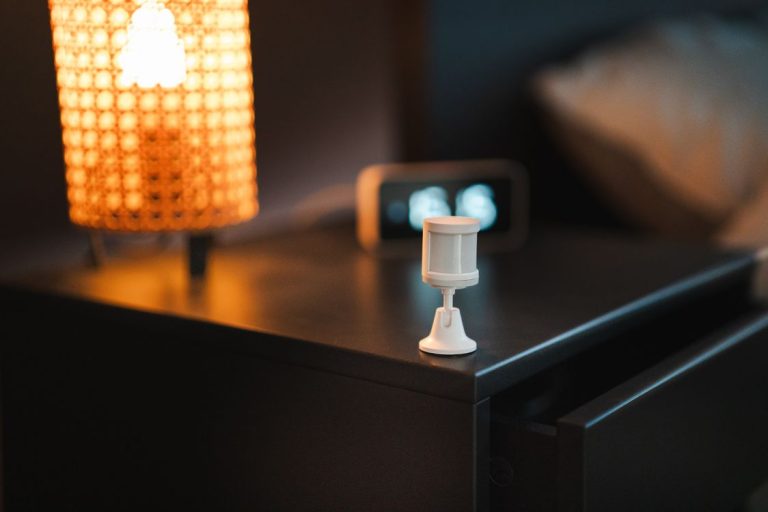
Motion-triggered lighting with auto-off
Trigger: motion sensor detects motion (with condition: only after sunset).
Actions: turn on specified lights. Then add a “wait” action (set to 5 minutes) followed by a “turn off lights” action.
This creates a light that comes on when someone enters a space and turns off automatically after 5 minutes of no motion. Perfect for hallways, bathrooms, stairwells — anywhere you don’t want to think about lights. The “only after sunset” condition prevents it from triggering during daylight hours when the lights aren’t needed.
Washing machine notification
Trigger: smart plug on washing machine power draw drops below 5 watts (indicating cycle complete).
Actions: Alexa announces “The washing is done” on kitchen Echo device.
This requires a smart plug with energy monitoring. The trigger is set in the Alexa app under “Smart Home” → the plug device → “When power drops below” setting. One of the most practically useful automations in a household — you stop forgetting laundry in the machine.
Sunrise gradual wake-up
Trigger: time (set to 30 minutes before your usual alarm).
Actions: turn bedroom lights on at 1% warm colour, then use the “Gradually Adjust” action to transition to 80% cool white over 20 minutes.
The “Gradually Adjust” option is in the lighting section of the actions menu and is easy to miss. It’s what creates the sunrise simulation effect — the light level and colour temperature shift slowly rather than snapping to the target. Combined with tunable white bulbs, this is a noticeably gentler wake-up than an alarm alone.
Common Problems and How to Fix Them
Routine not triggering. Check that the devices in the routine are online and responding individually. Check that the trigger is enabled (the toggle next to the routine name in the list). For location triggers, check that location services for the Alexa app are set to “Always” not “While using app.”
Actions happening in the wrong order. Alexa runs routine actions in sequence but some happen nearly simultaneously. If you need a genuine delay — lights on, wait 2 minutes, then make an announcement — use the “Wait” action explicitly between steps.
Routine firing when it shouldn’t. Add conditions to limit when the routine runs. Time windows (“only between 6am and 10pm”), days of the week, and specific device states can all be used as conditions to prevent routines running at wrong times.

Conclusion
Alexa routines are more capable than most people realise when they first open the routines builder. The Good Morning, Good Night, Leaving, and Arriving routines cover most of the daily value. Movie Mode and motion-triggered lighting add comfort. The washing machine notification is the one that tends to convert sceptics.
Start with Good Night — it’s the fastest to build, the most consistently useful, and gives you a clear sense of how the routine system works. Everything else builds from there.
The thing worth knowing is that Alexa routines work best when they become invisible — when you stop thinking of them as technology you’re running and they just become how the house behaves. That transition usually takes a few weeks of fine-tuning. The routines that survive long-term are the ones tied to things you were already doing anyway, just making them automatic.