Presence Sensor vs Motion Sensor: Why Your Lights Keep Turning Off
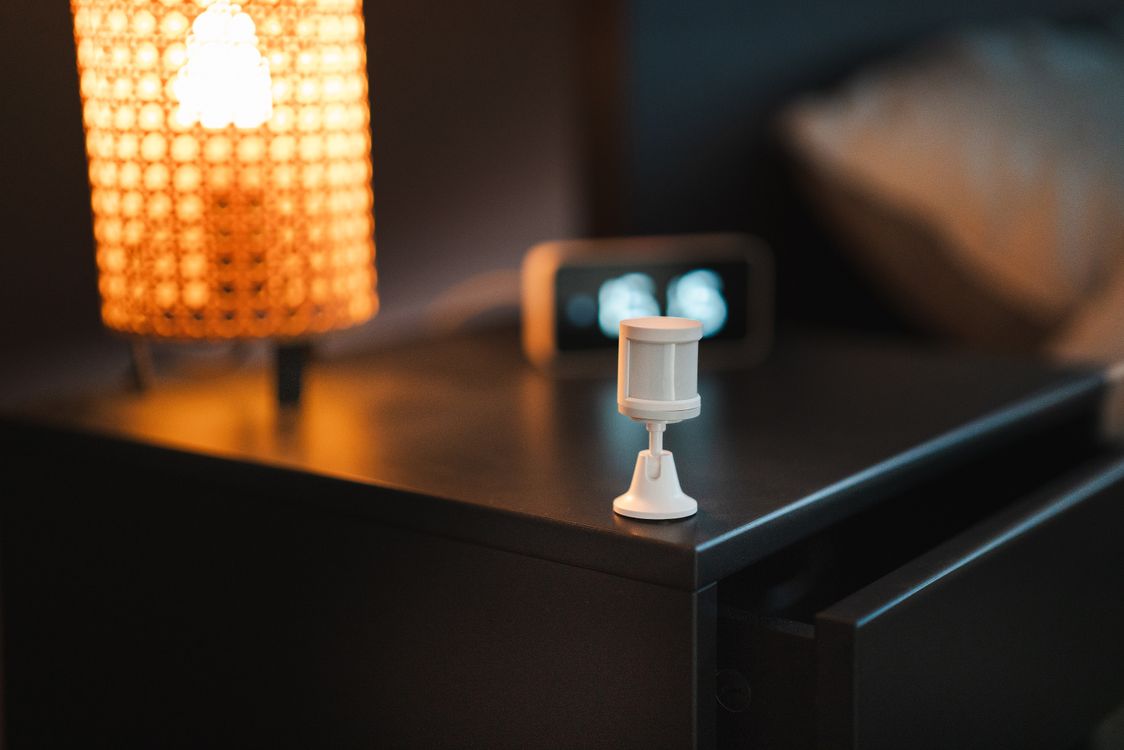
A presence sensor fixes the most annoying problem in home automation: lights that switch off while you’re still in the room. If you’ve ever waved your arms at the ceiling to get the bathroom light back on, or had the office go dark during a video call, you’ve run into the limits of a regular motion sensor. A presence sensor knows you’re there even when you’re sitting perfectly still.
They’ve gone from niche enthusiast gadgets to affordable, mainstream devices in just a couple of years. This guide explains how presence sensors work, how they differ from motion sensors, which ones to consider, and where they make the biggest difference.
Motion Sensor vs Presence Sensor: What’s the Difference?
The names sound similar, but they detect very different things.
Motion Sensors (PIR)
Most motion sensors use passive infrared, or PIR. They detect changes in heat as a warm body moves across their field of view. They’re cheap, run for years on a battery, and react instantly when you walk into a room. Their weakness is stillness. If you’re reading on the couch, typing at a desk, or sitting in the bath, a PIR sensor eventually decides the room is empty.
Presence Sensors (mmWave)
A presence sensor uses millimeter-wave radar. It sends out low-power radio signals and measures how they bounce back, which lets it pick up tiny movements like breathing or typing. That means it can tell the difference between an empty room and a room with someone sitting quietly in it.
The best models go further. They can track several people at once, divide a room into zones, and tell you whether someone is on the couch, at the desk, or in bed.
Hybrid Sensors: The Best of Both
Radar takes slightly longer to confirm presence and uses more power, which is why many newer devices combine both technologies. The PIR side catches you instantly when you walk in, and the radar keeps the room “occupied” while you stay. Some battery-powered models use PIR to wake the radar only when needed, which stretches battery life considerably.
Where a Presence Sensor Makes the Biggest Difference
You don’t need one in every room. They shine in spaces where people stay still:
- Home offices: lights and heating stay on while you work, and turn off when you leave.
- Bathrooms: no more lights going out mid-shower.
- Living rooms: lights dim for a movie but don’t turn off while you watch.
- Bedrooms: know when someone’s in bed to trigger a night routine. Our smart home night mode guide shows how.
- Kitchens: keep lights on while you cook and switch them off when you walk away.
Hallways and entryways, where people pass through quickly, are still perfect for cheap motion sensors.
Popular Presence Sensors to Consider
Prices are approximate and vary by retailer.
Aqara FP2: Best for Zones
The FP2 is the standout for advanced features. It tracks multiple people, supports up to 30 zones in a single room, and includes a light sensor. It plugs in via USB rather than running on batteries, so it’s best for rooms where you can reach an outlet.
- Approx. price: $80
- Connects via: Wi-Fi, with HomeKit, Alexa, Google, and Home Assistant support
- Best for: living rooms and open-plan spaces
Aqara FP300: Best Battery-Powered Option
The newer FP300 combines PIR and radar, adds temperature and humidity sensing, and runs on batteries, so you can stick it anywhere. It supports both Thread and Zigbee.
- Approx. price: $50
- Connects via: Thread (Matter) or Zigbee
- Best for: bathrooms and bedrooms without a convenient outlet
Everything Presence One and Apollo Sensors: Best for Home Assistant
These enthusiast favorites are built for Home Assistant, with rich data, configurable zones, and extra environmental sensors. They need a USB power supply and a bit more setup.
- Approx. price: roughly $35 to $70
- Best for: Home Assistant users who want full control
Budget Options: SwitchBot, Sonoff, and Meross
Several brands now sell basic presence sensors for $20 to $40. They usually don’t support zones or multiple people, but they reliably answer the most important question: is someone in this room? Meross’s Thread model connects to Matter platforms, and SwitchBot’s uses Bluetooth through its hub.
Presence Sensor Comparison
| Sensor | Approx. price | Power | Zones | Connects via |
|---|---|---|---|---|
| Aqara FP2 | $80 | USB | Yes, up to 30 | Wi-Fi |
| Aqara FP300 | $50 | Battery | No | Thread or Zigbee |
| Everything Presence One | ~$70 | USB-C | Configurable | Wi-Fi (Home Assistant) |
| Apollo MSR-2 / MTR-1 | ~$35 | USB | Yes | Wi-Fi (Home Assistant) |
| Budget models | $20 to $40 | Battery or USB | Usually no | Zigbee, Thread or Bluetooth |
For a full comparison of current models, Homey’s presence sensor buying guide lists detection range, angle, and protocol for each one.
Placement and Setup Tips
Presence sensors are more sensitive than motion sensors, which is great until they detect things you didn’t intend.
- Mount at chest height or in a corner facing the area you care about, like the desk or couch.
- Avoid pointing them at fans, curtains, or plants near vents. Moving objects can cause false detections, especially with cheaper radar.
- Remember radar passes through thin walls. A sensor aimed at a wall can detect someone in the next room. Adjust the detection distance in the app.
- Use zones to ignore problem spots, such as a doorway or a pet bed.
- Combine with a light sensor so lights only come on when it’s actually dark.
If you’re using a Thread model, you’ll need a Thread border router. Our explainer on what a Thread border router does shows whether you already own one.
Automations Worth Building
- Office mode: when someone sits at the desk, turn on the desk lamp and raise the temperature. Turn everything off five minutes after they leave.
- Bathroom lights that never cut out: on when you enter, off only once the room is truly empty.
- TV time: when someone is on the couch and the TV is on, dim the lights.
- Energy savings: turn off lights and space heaters in rooms nobody’s using.
Our guides to smart home automation for beginners and Home Assistant automations walk through building rules like these.
Is a Presence Sensor Worth It?
If your motion-triggered lights keep turning off on you, yes, absolutely. A presence sensor in the office, bathroom, or living room is one of the most noticeable upgrades you can make to an existing smart home. Start with one room where the problem annoys you most, and you’ll quickly see where else it’s worth adding.