Smart Home Automation for Beginners: Where to Start and What to Build First
Home automation sounds complex until you understand that the most useful automations are also the simplest ones. The goal isn’t an impressive system — it’s a home that does the right thing at the right time without you having to think about it. This guide covers smart home automation for beginners: what automation actually means, where to start, and the specific setups worth building first.
What Home Automation Actually Is
Automation — as defined by home automation experts — means a device does something automatically in response to a trigger — without you pressing a button or opening an app. The trigger could be a time of day, your location, a sensor detecting motion, or another device changing state.
The simplest automation: a plug that turns off at midnight. The trigger is time, the action is power off. No hub required, no complex logic, just a schedule set in an app once and forgotten.
The most sophisticated: your home notices you’ve left, adjusts the thermostat, locks the doors, turns off all lights, and sets the alarm — all triggered by your phone’s GPS crossing an invisible boundary around your home. Same principle, more moving parts.
Both are worth having. Start with the simple one.
The Four Automations Worth Building First
1. Good Night
Triggered by a voice command — “Alexa, good night” or “Hey Google, good night.” Actions: turn off all lights, set the thermostat to sleep temperature, lock the front door, turn off the entertainment stack plug.
This replaces the end-of-night walk through the house checking switches and locks. Build it before any other automation. It has the clearest before-and-after improvement to daily life and teaches you how your platform’s routine builder works. Full setup details in our Alexa routines guide and the broader smart home routines guide.
2. Leaving Home
Triggered by your phone leaving the home GPS zone (geofencing). Actions: turn off all lights, set thermostat to away mode, turn off non-essential plugs.
Enable location services for your smart home app. Set the trigger to “when I leave home.” This automation means you stop worrying whether you left the lights on, because the house handles it when you drive away.
In a multi-person household, set the condition to “only when all household members have left” — so the automation doesn’t fire when one person goes out while the other stays home.
3. Motion-activated lighting
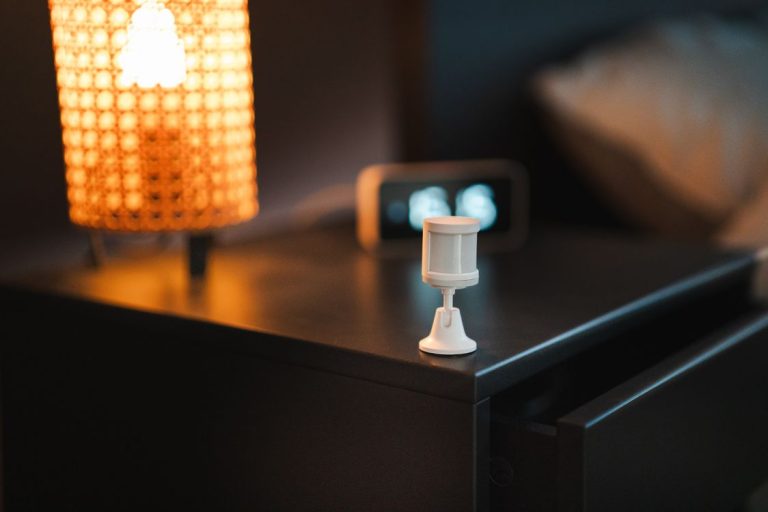
Triggered by a motion sensor detecting movement. Condition: only after sunset. Action: turn on lights at low brightness for 3 minutes, then turn off.
Start with a hallway or staircase — somewhere you navigate briefly at night. The automation activates when you walk past, stays on long enough to be useful, then turns itself off. No more fumbling for switches in the dark, no more lights left on because you forgot to turn them off.
4. Washing machine done
Triggered by a smart plug detecting the washing machine’s power draw dropping to near zero. Action: send a notification to your phone or announce on a smart speaker.
Requires a smart plug with energy monitoring. Set the power threshold at 5 watts — below that means the machine has finished. This is the automation that converts most sceptics because the benefit is immediate and practical every single time.


Conditions: The Key to Automations That Don’t Annoy You
Automations without conditions create problems. A motion-activated light that fires at 2pm when there’s sunlight everywhere is pointless. A leaving-home routine that runs every time one person in a two-person household steps out is frustrating.
Every automation should have at least one condition that limits when it runs:
Time windows — “only between 10pm and 7am” for night lighting automations. Prevents motion lights from triggering during the day.
Presence conditions — “only when everyone is home” or “only when no one is home.” Prevents leaving routines from disrupting people still in the house.
Sunrise/sunset conditions — “only after sunset” is more reliable than a fixed clock time because it adjusts with the seasons automatically.
Device state conditions — “only if the thermostat is currently in cooling mode” or “only if the TV is on.” Prevents automations from firing when they’d be irrelevant.
Common Mistakes That Make Beginners Give Up
Building too many automations at once. Start with one or two, live with them for two weeks, then add more. Trying to automate everything immediately creates a mess of conflicting routines and devices that don’t behave as expected.
Using fixed times instead of intelligent triggers. A good morning routine that fires at 7:00am regardless of whether you’ve woken up is worse than no routine. Use voice commands or alarm-based triggers for morning automations, not fixed clocks.
Not keeping physical controls accessible. Smart home automation should make life easier, not harder. If a guest can’t figure out how to turn a light on because the wall switch was removed, the automation has failed. Keep physical controls working alongside smart controls — they’re backup, not redundancy.
Choosing devices that don’t work with their platform. An automation can only control devices that are properly integrated with the platform running the automation. A smart plug that only works with its own app can’t be included in an Alexa routine. Check compatibility before buying.
Platforms for Smart Home Automation for Beginners
All three major platforms — Alexa, Google Home, and Apple Home — have a routine builder that covers the automations above. The choice depends on which phone you use and which ecosystem you’re already in. We covered the comparison in detail in our Google Home vs Alexa guide.
For beginners who want more power without professional complexity, Home Assistant is worth understanding — but it’s a step up in setup complexity that most people don’t need until their setup has outgrown the commercial platforms.


Conclusion
Smart home automation for beginners works best when it’s specific and small. One automation that runs perfectly every day is worth more than ten automations that run inconsistently. Build the Good Night routine first, add geofencing second, add motion lighting third. Each one teaches you something about how your system works, and each one has an immediately visible improvement to daily life.
The automations that stick are the ones tied to real habits — things you were already doing every day, now done automatically. The ones that fail are the impressive demos that don’t solve anything you actually care about.