Smart Home Security Tips: 7 Things That Actually Matter
A smart home full of cameras, locks, and sensors sounds secure by definition. The reality is more nuanced: smart devices introduce new attack surfaces alongside the security benefits they advertise. The homes that are genuinely more secure after going smart are the ones that followed a few specific practices. The ones that aren’t are usually the ones that installed devices without thinking about the network they’re on.
These are the smart home security tips that actually matter — not the dramatic hacking scenarios the press loves, but the practical steps that reduce real risk in real households.
1. Smart Home Security Tip: Separate Devices Onto a Guest Network
This is the single highest-impact step most people skip. Most modern routers let you create a separate Wi-Fi network — often called a “guest network” or “IoT network” — that’s isolated from your main network.
Put all your smart home devices on this separate network. Your laptops, phones, and computers stay on the main network.
Why it matters: if a smart device is compromised — say, a cheap camera with poor firmware — it can only see other devices on the same network. Isolating it means the attacker can’t use it as a stepping stone to reach your laptop, your NAS drive, or anything else of value. Network segmentation is standard practice in corporate security for exactly this reason.
Setup takes about ten minutes in your router’s admin interface. Check your router’s manual for “guest network” or “VLAN” setup. It’s one of those changes that costs nothing, takes minutes, and genuinely limits the blast radius if something goes wrong.
2. Use Strong, Unique Passwords for Every Smart Home Account
Most smart home breaches aren’t technically sophisticated. They’re credential stuffing attacks: someone takes a list of leaked username/password combinations from some other breach and tries them on Ring, Nest, or whatever platform you use. If you’ve reused a password from a breached service, they’re in.
The fix is boring but non-negotiable: a unique, randomly-generated password for every smart home account. A password manager (1Password, Bitwarden, Apple Keychain) makes this manageable — you only need to remember one master password, and it generates and stores the rest.
Default device passwords are the other common failure point. Many cheap cameras and smart hubs ship with identical default credentials (“admin/admin” or similar) that are publicly documented. Change the default password on every device during setup. This alone prevents a large category of opportunistic attacks.
3. Enable Two-Factor Authentication Everywhere It’s Offered
Two-factor authentication (2FA) means that even if someone has your password, they can’t log in without a second verification step — usually a code from an app on your phone.
Enable 2FA on every smart home platform that offers it: Ring, Nest, Arlo, SmartThings, your router admin interface, your Alexa account. This takes five minutes per platform and makes credential-based attacks essentially useless even if your password is compromised.
Authenticator apps (Google Authenticator, Authy) are more secure than SMS codes, which can be intercepted via SIM-swapping attacks. Use an app where the option exists.
4. Keep Firmware Updated
Smart home devices run software, and software has vulnerabilities. Manufacturers release firmware updates to patch them. Devices that never get updated accumulate known vulnerabilities that attackers can exploit.
For devices that support automatic updates — enable them. For devices that don’t, build a habit of checking for updates every few months. In your device app, look for “firmware version” or “check for updates” in device settings.
This is also a reason to buy from reputable brands with a track record of releasing updates. A cheap camera from an unknown brand that shipped firmware in 2022 and never updated it is a sitting vulnerability regardless of how good its specs look on the box. When we say to buy from brands with track records in guides like our smart locks review and doorbells guide — firmware support is a big part of why.

5. Audit What Has Access to Your Home
Smart home platforms accumulate permissions over time. You install a skill on Alexa to control your lights. You connect a third-party app to your Ring account. You authorise a service to read your thermostat data. Over months and years, the list of things with access to your home’s systems grows.
Every six months or so, go through the connected apps and authorised services for each platform you use and remove anything you no longer use or recognise. On Alexa: Skills → Enabled Skills. On Google Home: linked accounts in settings. On Apple Home: Home settings → People. On Ring: Account → Authorised Clients.
Fewer things with access means fewer potential points of failure. This is especially important when you change from one platform to another — the old connections often persist indefinitely if you don’t actively remove them.
6. Be Careful With Who You Give Access To
Most smart home platforms let you share access with family members, which is useful. The risk comes from sharing more access than necessary, or sharing with people whose devices may be less secure than yours.
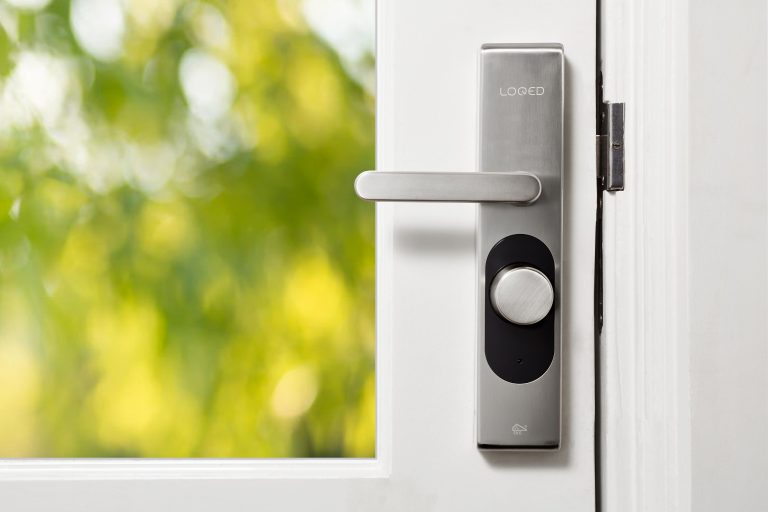
Give guests temporary codes for smart locks rather than permanent ones — and delete them when they leave. Most platforms support this: you create a code for “cleaner” or “dog walker”, set an expiry date or deletion reminder, and revoke it when the relationship ends. This is far more secure than giving a physical key, which you’d have to change the lock to revoke.
For family sharing, use your platform’s built-in sharing features rather than sharing your account login. Shared accounts mean you can’t revoke one person’s access without changing the password for everyone.
7. Think About Physical Security Too
Smart home security discussions focus almost entirely on digital threats, but physical security remains relevant. A smart lock on a weak door frame provides less security than its specs suggest. A camera positioned to cover the front door misses the back door.
The devices that provide the most physical security benefit are the ones that deter opportunistic crime — visible cameras and motion-activated lighting. Research consistently shows that these reduce opportunistic burglaries, not because they make it impossible to break in, but because they increase perceived risk for someone looking for an easy target.
Motion-activated outdoor lighting is particularly effective and underrated. It’s cheap, reliable, and requires no subscription. A smart plug connected to an outdoor light, set to activate via a motion sensor at night, provides meaningful deterrence for a small one-time investment.
Conclusion
Smart home security isn’t dramatically different from general home network security. The same principles apply: separate networks, strong unique passwords, two-factor authentication, software updates, minimal access grants. The main difference is that smart homes have more devices, more accounts, and more potential entry points — which makes consistent application of these basics more important, not less.
The good news is that doing four of these seven things — network segmentation, unique passwords, 2FA, and firmware updates — covers the vast majority of realistic threats. The rest is refinement. Start there, and your smart home will be more secure than the homes of most people who’ve been doing this for years.
The thing most people get backwards is worrying about sophisticated hacking scenarios while leaving their router on default credentials and reusing the same password across every smart home account. The dramatic attack is rare. The boring credential attack happens constantly. Boring defences against boring attacks is where the real security comes from — not the exciting stuff the headlines cover.