Circadian Lighting at Home: How to Set Up Smart Bulbs That Follow the Sun
Circadian lighting is one of the most underrated things a smart home can do. After daylight saving time ends in early November, most Americans wake up in the dark and spend their evenings under the same bright, cool white light they used at noon. Your body notices. Light is the strongest signal your internal clock uses to decide when to feel alert and when to wind down.
Circadian lighting uses smart bulbs to follow a natural pattern: bright, cooler light in the morning and during the day, then gradually warmer and dimmer light in the evening. Once it’s set up, it runs automatically. This guide explains how it works, which systems support it, and how to set it up properly.
What Is Circadian Lighting?
Your circadian rhythm is your body’s roughly 24-hour internal clock. It influences when you feel sleepy, when you feel alert, and when your body releases melatonin, the hormone that helps you fall asleep.
Light, and especially blue-rich light, is the main cue that sets that clock. According to the Sleep Foundation, exposure to blue light in the evening can suppress melatonin and make it harder to fall asleep, while bright light during the day supports alertness.
Circadian lighting mimics the sun’s pattern indoors:
- Morning: bright, cool white light (around 4,000 to 6,500 Kelvin) to help you wake up.
- Daytime: bright, neutral light for focus.
- Evening: warmer, dimmer light (around 2,200 to 2,700 Kelvin) to signal winding down.
- Night: very dim, very warm light, or none, so a trip to the bathroom doesn’t jolt you awake.

Why It Matters More in Winter
In summer, natural light does much of the work. In winter, especially after the clocks change, many people get little daylight in the morning and spend long evenings under artificial light. That mismatch is exactly where circadian lighting helps most, by brightening dark mornings and making evenings warmer and calmer.
One important note: circadian lighting from smart bulbs is about comfort and good habits. It isn’t a medical treatment. Light therapy lamps used for seasonal mood changes are much brighter and are a different product. If you’re dealing with low mood in winter, talk to a doctor.
Which Smart Lighting Systems Support Circadian Lighting?
You need tunable white bulbs, meaning bulbs that can change color temperature, not just brightness. Most color smart bulbs qualify. Then you need a way to change the color temperature automatically through the day.
Apple Home: Adaptive Lighting
If you use Apple Home, Adaptive Lighting is built in. Compatible bulbs, including Philips Hue, Nanoleaf, and many Matter bulbs, automatically shift color temperature throughout the day. Turn it on in the light’s settings in the Home app. Our Apple HomeKit review covers the rest of the platform.
Philips Hue: Natural Light
The Hue app includes a Natural Light scene that changes color temperature based on the time of day. Combined with Hue’s wake-up and go-to-sleep automations, it’s one of the easiest ways to get circadian lighting. See our Philips Hue review for more on the system.
Home Assistant: Adaptive Lighting
Home Assistant users can install the popular Adaptive Lighting integration, which adjusts both brightness and color temperature based on the sun’s position and gives you fine control over every room.
Alexa and Google Home
Neither offers a built-in equivalent as complete as Apple’s Adaptive Lighting, but you can create routines that set different color temperatures at different times of day. It takes a bit more setup, but the result is similar.
Circadian Lighting Settings by Time of Day
| Time | Color temperature | Brightness | Goal |
|---|---|---|---|
| Wake-up | 3,000 to 4,000K, rising | Gradually up to 100% | Gentle, alert start |
| Daytime | 4,000 to 5,500K | 80 to 100% | Focus and energy |
| Early evening | 3,000K | 60 to 80% | Transition |
| Two hours before bed | 2,200 to 2,700K | 30 to 50% | Wind down |
| Night | 2,200K or lower | 1 to 10% | Minimal disruption |
If color temperature numbers are unfamiliar, our guide to smart light color temperature explains them in plain English.
How to Set Up Circadian Lighting
- Start with the rooms you use most in the morning and evening, usually the bedroom, bathroom, kitchen, and living room.
- Use tunable white bulbs everywhere in those rooms. One cool bulb next to a warm one ruins the effect.
- Turn on Adaptive Lighting or Natural Light, or build routines in Alexa or Google Home.
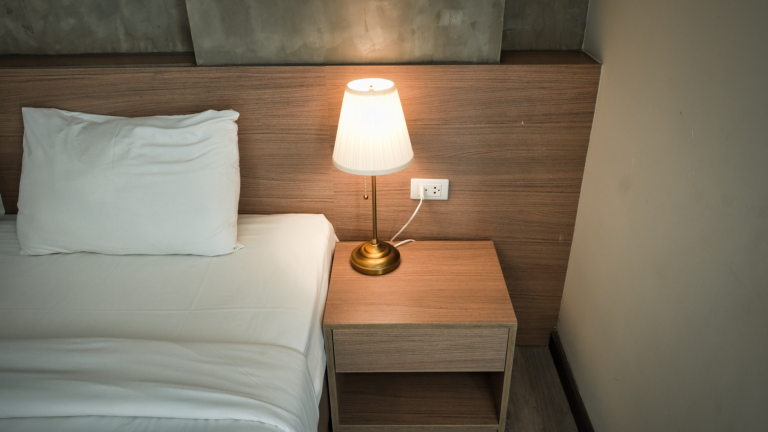
- Add a sunrise wake-up. Have bedroom lights fade up 20 to 30 minutes before your alarm. On dark winter mornings, this makes a noticeable difference.
- Create a night mode. If someone gets up at 3 a.m., lights should come on at a very low, very warm setting. Pair this with a presence sensor or motion sensor for hands-free control.
Pair It With Natural Light
Smart bulbs work best alongside real daylight. Open curtains first thing in the morning, sit near a window when you can, and get outside during the day. Smart blinds can open automatically at sunrise so natural light does part of the work for you.
Common Mistakes to Avoid
- Overriding it constantly. If you manually set lights to bright white every evening, the automation can’t help. Let it run.
- Forgetting screens. Phones, tablets, and TVs emit blue-rich light too. Use night mode settings on devices in the evening.
- Mixing bulb types. Non-tunable bulbs stay the same color all day.
- Making evening light too dim to be safe. Keep stairs and hallways bright enough to see clearly.
Is Circadian Lighting Worth Setting Up?
If you already own color or tunable white smart bulbs, circadian lighting costs nothing and takes about 15 minutes to set up. It’s one of those changes you stop noticing within a week, except that mornings feel easier and evenings feel calmer. For a complete bedtime and wake-up setup, see our smart bedroom and morning routine guides.