Home Assistant Hardware Guide 2026: Green vs Raspberry Pi vs Mini PC
Choosing Home Assistant hardware is the first real decision you make when moving to a local, private smart home, and it’s where many people get stuck. Should you buy the official box, repurpose a Raspberry Pi, or use a small PC? Do you need a Zigbee stick? What about Thread and Z-Wave?
The answer depends on how comfortable you are with tinkering and how big your smart home will grow. This guide compares the main Home Assistant hardware options in 2026, what each one costs, and which radios you’ll need to add.
If you’re new to the platform itself, start with our explainer on what Home Assistant is, then come back here to pick your hardware.
What Home Assistant Hardware Needs to Do
Home Assistant runs all the time in the background, connecting your devices and running automations locally. That means good hardware for it is:
- Always on and low power, since it runs 24 hours a day.
- Reliable storage, because constant writes can wear out cheap SD cards.
- Wired to your network with Ethernet for stability.
- Expandable with radios for Zigbee, Thread, or Z-Wave devices.
It doesn’t need to be powerful for most homes. A modest device handles dozens or even hundreds of devices comfortably. You only need more power if you plan to run extras like camera video processing or local voice processing.
Option 1: Home Assistant Green
The Green is the official, plug-and-play box from Nabu Casa, the company behind Home Assistant. It arrives with Home Assistant OS preinstalled. You plug in power and Ethernet, open a browser, and follow the setup.
- Price: around $199 at the time of writing, up from about $99 when it launched
- Specs: quad-core processor, 4 GB RAM, 32 GB built-in eMMC storage, Gigabit Ethernet, two USB ports
- Strengths: silent, very low power, reliable storage, no setup headaches
- Limitations: no built-in Wi-Fi, Bluetooth, Zigbee, or Z-Wave; only USB 2.0
For most beginners, this is the best Home Assistant hardware. It removes the parts of setup that frustrate people, and it’s what Nabu Casa recommends now that the older Home Assistant Yellow has been discontinued.
Option 2: Raspberry Pi 4 or 5
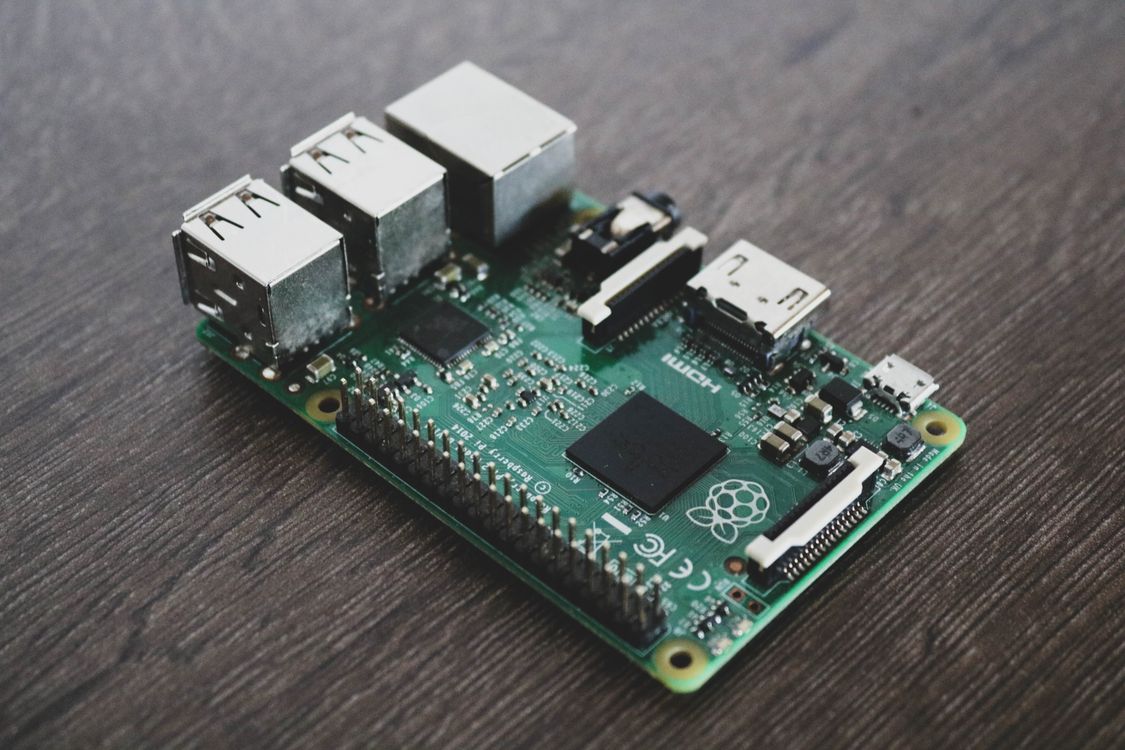
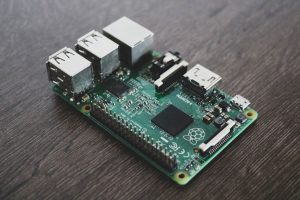
The Raspberry Pi has long been the classic way to run Home Assistant. The Pi 5 is faster and handles add-ons more comfortably, while the Pi 4 uses a little less power.
- Strengths: flexible, has Wi-Fi and Bluetooth, can run other projects, huge community
- Limitations: you install Home Assistant OS yourself, the Pi 5 needs active cooling, and SD cards can fail over time
If you go this route, avoid running long term from an SD card. Use an SSD or NVMe drive for reliability. And if you already own a working Pi, the community’s usual advice is simple: use it before buying something new.
Option 3: A Mini PC
Small x86 mini PCs with low-power processors have become very popular for Home Assistant. They cost roughly the same as a fully equipped Raspberry Pi, include SSD storage, and offer far more performance.
- Strengths: powerful enough for cameras, local voice, and many add-ons; SSD storage; easy to upgrade
- Limitations: slightly more power use, more setup work, and quality varies between brands
This is the best choice if you plan to run local camera processing or many add-ons. Our guide to local NVR vs cloud cameras explains why that extra power matters for video.
Home Assistant Hardware Compared
| Option | Approx. cost | Setup difficulty | Built-in radios | Best for |
|---|---|---|---|---|
| Home Assistant Green | ~$199 | Very easy | None | Beginners |
| Raspberry Pi 4 or 5 | $100 to $200 complete | Moderate | Wi-Fi, Bluetooth | Tinkerers, existing Pi owners |
| Mini PC | $150 to $250 | Moderate | Wi-Fi, Bluetooth | Cameras, power users |
Adding Zigbee, Thread, and Z-Wave Radios
Most Home Assistant hardware doesn’t include radios for low-power smart home devices, so you’ll likely add a USB stick or two.
- Home Assistant Connect ZBT-2 (around $49): adds Zigbee and Thread support, which also enables Matter over Thread devices. It’s the official successor to the ZBT-1.
- Home Assistant Connect ZWA-2 (around $69): adds Z-Wave 800 support for Z-Wave locks, sensors, and switches.
Plug radios in using a short USB extension cable rather than directly into the device. USB 3 ports and the computer itself can cause interference that weakens Zigbee signals.
If you’re unsure which protocols you need, our Zigbee vs Wi-Fi vs Thread comparison and our explainer on the Thread border router will help.
Recommended Setups
- Easiest start: Home Assistant Green plus a ZBT-2. This covers Wi-Fi, Zigbee, Thread, and Matter devices with almost no setup hassle.
- Budget: a Raspberry Pi you already own, with an SSD and a ZBT-2.
- Power user: a mini PC with an SSD, a ZBT-2, and a ZWA-2 if you have Z-Wave devices.
Don’t Forget Power and Backups
Two final tips make any Home Assistant hardware more dependable:
- Put it on a UPS with your router so automations keep running during short outages. Our smart home power outage guide explains why.
- Set up automatic backups to another computer, a network drive, or cloud storage. Home Assistant has built-in backup tools, and a recent backup turns a hardware failure into a 20-minute restore.
The official Home Assistant installation guide lists every supported platform if you want to explore further.
Which Home Assistant Hardware Should You Buy?
If you want it to just work, buy the Home Assistant Green and a ZBT-2. If you enjoy tinkering or already have a Raspberry Pi, use that. And if you plan to process camera video or run local voice, a mini PC gives you the headroom to grow. Once it’s running, our guide to Home Assistant automations is the next step.