Smart Home Hub: Which One You Need and When to Skip It
The smart home hub question comes up constantly — do you need one, which one, and what does it actually do? The confusion is understandable because “hub” gets used to mean several different things in smart home contexts, and the answer to whether you need one depends entirely on which kind of hub we’re talking about.
This guide explains what a smart home hub actually is, the different types, which ones are worth buying in 2026, and when you can skip the hub entirely.
What a Smart Home Hub Actually Does
At its core, a hub is a device that acts as a central controller — it receives commands from your app or voice assistant and sends them to your smart devices. But that description fits several very different kinds of hardware, each with different trade-offs.
The confusion comes from the fact that smart speakers, protocol coordinators, and full home automation servers are all sometimes called “hubs.” They’re meaningfully different things.
Type 1: Voice Speakers as Hubs (Amazon Echo, Google Nest)
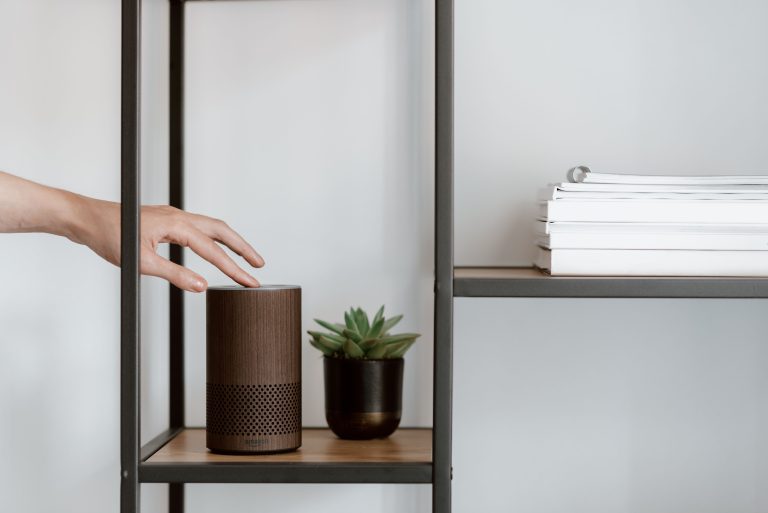
When most people ask “do I need a hub,” this is what they’re picturing. An Amazon Echo or Google Nest speaker sitting on the counter, controlling lights and devices via voice and app.
These work fine for basic setups. They connect to WiFi devices directly, run routines, and let you control everything from the Alexa or Google Home app. For households with under 20 WiFi smart devices and no need for battery-powered sensors, this is genuinely enough.
The limitations: they’re cloud-dependent (automations route through Amazon or Google servers), they don’t natively coordinate Zigbee or Z-Wave devices, and they don’t run locally if the internet goes down. For the Alexa vs Google Home decision, see our dedicated comparison.
Cost: $30–50 for a Dot or Mini. Already have one? You’re already using this type of hub.
Best for: Beginners, small setups, all-WiFi households.
Type 2: Protocol Hubs (Hue Bridge, IKEA Dirigera, SmartThings)
These are dedicated devices that coordinate specific radio protocols — particularly Zigbee, Z-Wave, and Thread. They connect to your router via ethernet or WiFi and communicate with devices using their native protocol.
The Philips Hue Bridge is the most well-known example. It coordinates up to 50 Hue bulbs and accessories via Zigbee, runs lighting automations locally, and bridges to Alexa, Google Home, and Apple Home. Automations keep running if the internet goes down because they execute on the Bridge itself, not on Hue’s servers.
The IKEA Dirigera does the same for IKEA’s Zigbee ecosystem. Samsung SmartThings Station coordinates Zigbee, Z-Wave, and Matter devices from multiple brands in one hub — more flexible but more complex to set up.
The advantage of dedicated protocol hubs is local control and reliability. The disadvantage is that you may end up needing more than one if your devices span multiple brands and protocols.
Cost: $40–100 depending on the hub. Hue Bridge is included with Hue starter kits.
Best for: Anyone building around Philips Hue or IKEA, households with Zigbee or Z-Wave sensors, anyone who wants local control without the complexity of a full home automation server.

Type 3: Thread Border Routers (Built Into Modern Devices)
Thread Border Routers are a special category — they’re not standalone hubs but hardware already built into devices you might own. Apple TV 4K (3rd gen), HomePod mini, HomePod (2nd gen), and Amazon Echo (4th gen) all include Thread Border Routers.
A Thread Border Router connects Thread radio devices — which use a low-power local mesh network — to your home’s IP network. This is what enables Matter over Thread devices to work with Alexa, Google Home, and Apple Home simultaneously.
If you have an Apple TV or HomePod, you already have a Thread Border Router and a HomeKit home hub. No additional hardware needed for Thread devices. This is Apple Home’s significant advantage — the hub you need for local automation is a device most Apple households already own as a streaming device.
Cost: Built into hardware you may already have. Apple TV 4K: $130. HomePod mini: $99.
Best for: Apple Home households, anyone buying Matter-over-Thread devices.
Type 4: Full Home Automation Servers (Home Assistant)
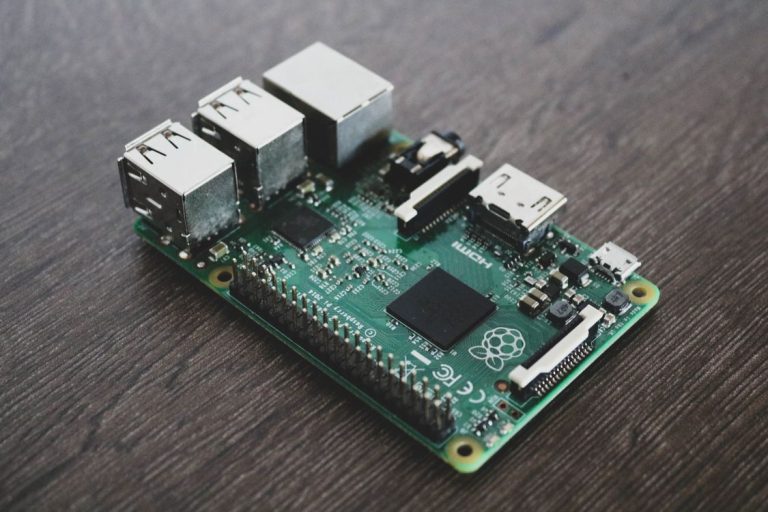
At the top of the complexity and capability spectrum is Home Assistant — open-source software you run on dedicated local hardware (a Raspberry Pi, an old mini PC, or a purpose-built device like the Home Assistant Green).
Home Assistant can coordinate virtually every smart home protocol simultaneously — Zigbee via a USB dongle, Z-Wave via another dongle, WiFi devices via local API integrations, Thread via built-in support, and dozens of cloud integrations. Everything runs locally. Automations execute on your hardware regardless of internet connectivity. No subscription, no cloud dependency, no risk of the platform being discontinued.
The trade-off is setup complexity. Home Assistant has a learning curve that’s steeper than any commercial platform. It requires ongoing maintenance when integrations break or devices need reconfiguring. It’s genuinely the most powerful smart home hub available — and genuinely not for everyone.
Cost: Free software. Hardware: Raspberry Pi 4 (~$70) or Home Assistant Green (~$100).
Best for: Tech-comfortable users, large multi-protocol setups, anyone who wants maximum control and local-first reliability.
Do You Actually Need a Hub?
For a basic smart home with WiFi devices — a few smart bulbs, a couple of plugs, a smart speaker — you don’t need a dedicated hub beyond the Echo or Nest Mini you’re already using. The speaker handles coordination, the devices connect directly, and everything works through the platform app.
You need a dedicated hub when:
You want Zigbee devices (sensors, IKEA products, Hue) — these require a Zigbee coordinator. You want local control and reliability during internet outages. You’re building a setup with 20+ devices where WiFi congestion becomes a problem. You want to unify devices from multiple brands and protocols under one app.
For most households starting out, the recommendation is: begin without a dedicated hub, add one when you hit a specific problem it solves. Don’t buy a hub speculatively — buy it when you buy the Zigbee sensors that need it, or when your WiFi device count starts causing reliability issues.
The 2026 Recommendation
For a new setup in 2026 that wants to be future-proof without unnecessary complexity: an Echo (4th gen) or HomePod mini as the primary hub covers most bases. Both include Thread Border Routers, both work with Matter devices, and both run basic automations locally.
Add a Hue Bridge if you go deep into Philips Hue lighting. Add Home Assistant if your setup grows beyond what commercial platforms handle well. Start simple, add complexity only when you need it.
Conclusion
The smart home hub landscape in 2026 is better than it’s ever been — Thread Border Routers are now built into common devices, Matter has reduced the need for brand-specific hubs, and Home Assistant has matured into a genuinely excellent local-first option for those willing to invest the setup time.
The right hub is the one that solves a specific problem you have. A speaker for voice control and basic WiFi coordination. A Hue Bridge for Zigbee lighting. A Thread Border Router (probably already in your Apple TV) for Matter devices. Home Assistant when you want everything unified and locally controlled.
Don’t overthink it at the start. The best smart home setups usually begin simple and grow into complexity over time — not the other way around.