Smart Home Night Mode: How to Set Up Your Home for Sleep
Most smart home guides focus on what to do during the day — morning routines, leaving home automations, energy management. The overnight hours deserve the same thought. A well-designed smart home night mode improves sleep quality, saves energy, and handles security automatically while you sleep — without requiring any interaction from you.
This guide covers what night mode actually means in a smart home context, the specific automations worth building, and how to set them up on the major platforms.
What Smart Home Night Mode Does
Night mode is not a single feature — it’s a collection of automations that activate when your household transitions to sleep. The best implementations are triggered by a voice command or the last person going to bed, rather than a fixed clock time, so they adapt to your actual schedule rather than assuming you sleep at 10pm every night.
A complete night mode handles four things: lighting, security, temperature, and energy. Each is worth thinking through separately.
Night Mode Lighting
The good night routine. A voice command — “Alexa, good night” or “Hey Google, good night” — that turns off all lights, dims any that should stay on low, and activates any nightlights. This is the most common automation in smart homes for good reason: it replaces the end-of-night walk checking switches. Build this first if you haven’t already. We covered the full setup in our Alexa routines guide.
Nightlights that respond to motion. Motion-activated lights at very low brightness (5–10%) in hallways, on staircases, and outside bathrooms. These trigger when someone gets up at night and turn off automatically after a couple of minutes. The brightness level matters: dim enough not to disrupt sleep, bright enough to navigate safely. This is one of the highest-value automations for households with children or elderly family members.
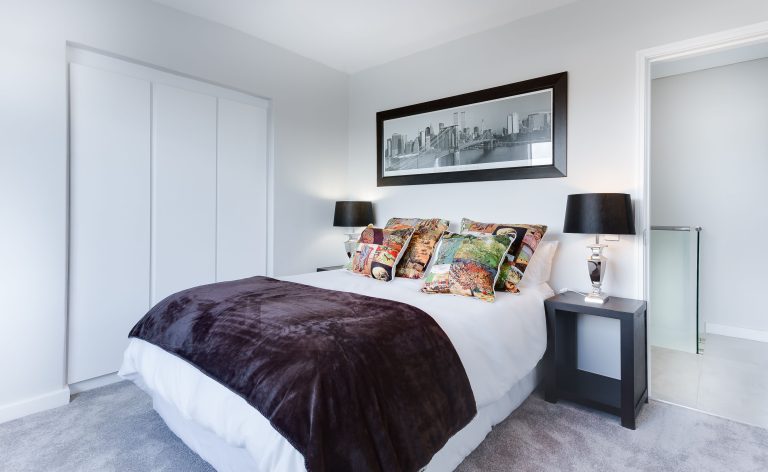
Bedroom lighting at wind-down settings. In the hour before your usual sleep time, bedroom lights shift automatically to very warm (2200–2700K) and dim. Blue light suppresses melatonin; removing it in the evening makes falling asleep easier. This happens automatically based on time, not requiring any action from you. Paired with a wake-up light that gradually brightens in the morning, it creates a complete sleep-supporting lighting cycle. See our guide on smart light colour temperature for how to set this up.
Outdoor lights on schedules. Exterior lights on at dusk, off at a set time overnight (to save energy), back on at dawn. Or motion-activated throughout the night for security. Either approach is better than lights left on all night consuming power unnecessarily.
Night Mode Security
Auto-lock. If your doors have smart locks, include them in the good night routine. Doors lock automatically, and you stop wondering whether you remembered to lock up. Some smart locks also have a “vacation mode” that disables the keypad and requires the app to unlock — worth enabling when you’re away overnight.
Indoor camera activation. If you have indoor cameras that you disable during the day for privacy, night mode can re-enable them while everyone is asleep. This provides overnight security monitoring without the surveillance feeling of cameras running while the household is active. Most major camera platforms support a home/away mode that handles this; Home Assistant can automate it based on time or everyone being in their bedrooms.
Motion sensor alerts. Overnight, motion sensors in shared areas can be set to send alerts rather than trigger automations. A notification if motion is detected in the kitchen at 3am is more useful than a light turning on — it tells you something unexpected is happening. Set this up in your platform’s routine builder with the condition “only between midnight and 6am.”
Night Mode Temperature
Research consistently shows that cooler rooms improve sleep quality. The optimal sleep temperature for most people is 65–68°F (18–20°C) — cooler than typical daytime comfort settings.
A smart thermostat sleep schedule drops the temperature 30–45 minutes before your usual bedtime and raises it 30 minutes before your alarm. This means the house is at sleep temperature when you go to bed and at wake-up temperature before the alarm sounds — without running the heating or cooling system all night at maximum.
The energy saving from a lower overnight temperature is real. Every degree the thermostat drops in winter saves roughly 1% on heating costs. Dropping from 70°F to 65°F overnight saves about 5% — modest on its own but compounding across months.
Night Mode Energy
Entertainment stack off. TVs, game consoles, and soundbars in standby draw 30–50 watts continuously. Include the entertainment smart plug in the good night routine — it cuts this load entirely while you sleep.
Home office equipment off. Computers, monitors, and peripherals in standby or sleep mode still draw power. A smart plug on the home office strip, turned off overnight, eliminates this load.
Appliances shifted to off-peak. If your utility has time-of-use pricing with cheaper overnight rates, night mode is when you schedule the dishwasher to run, the EV to charge, and the washing machine to run if you started it late in the evening. The energy saving tips guide covers this in detail.
Setting Up Night Mode on Each Platform
Alexa: More → Routines → Add. Set trigger to voice command “good night.” Add actions in sequence: turn off lights group, set thermostat, lock doors, turn off entertainment plug, set motion sensors to alert mode. Save. Takes about five minutes to configure.
Google Home: Automations → Add. Voice trigger “good night.” Same action sequence. Google’s strength here is pulling calendar information in — if you have an early meeting tomorrow it can adjust the wake-up light timing automatically.
Apple Home: Automation → Add → When an accessory is controlled. Set to trigger when you turn off the bedroom main light manually, or use a voice shortcut in Siri Shortcuts. Apple Home’s night mode integrates well with the iPhone’s Sleep Focus mode — enabling Sleep Focus can trigger Home automations if configured in the Shortcuts app.

Conclusion
Smart home night mode is one of the clearest examples of automation making daily life genuinely better rather than just more technically impressive. Lights that shift warm in the evening, a thermostat that cools for sleep without you adjusting it, doors that lock themselves, energy loads that cut overnight — these all happen without any action from you once they’re set up.
Build the good night voice routine first. Add the motion-activated hallway lighting second. Set the thermostat sleep schedule third. Each one works independently, and each one improves the overnight experience in a way you’ll notice every day.