Best Smart Thermostat in 2026: Nest vs ecobee vs Budget Picks
Heating season is when a smart thermostat earns its keep, and it’s also when a lot of people discover theirs is out of date. Google ended support for the first and second generation Nest Learning Thermostats in October 2025, which means those units no longer work in the app. Many households replaced them in a hurry. If you’re still running an old model, or a basic dial thermostat, this is a good moment to choose properly.
This guide compares the best smart thermostat options for 2026, explains which features actually save energy and which are just nice to have, and covers the installation problem that trips up more buyers than anything else.
Do You Really Need a New Smart Thermostat?
It depends on what you have now. If your thermostat is a manual dial or a basic programmable model you never reprogrammed, the upgrade is easy to justify. The U.S. Department of Energy estimates you can save as much as 10 percent a year on heating and cooling by setting the temperature back 7 to 10 degrees for eight hours a day. A smart thermostat does that automatically, every day, without you thinking about it.
If you already own a recent smart thermostat that works, you probably don’t need to upgrade. We dig into the savings math in do smart thermostats save money, and the honest answer is that the biggest jump comes from going smart at all, not from going from one smart model to a newer one.
The Best Smart Thermostat Picks for 2026
Google Nest Learning Thermostat (4th Gen): Best for Most Homes
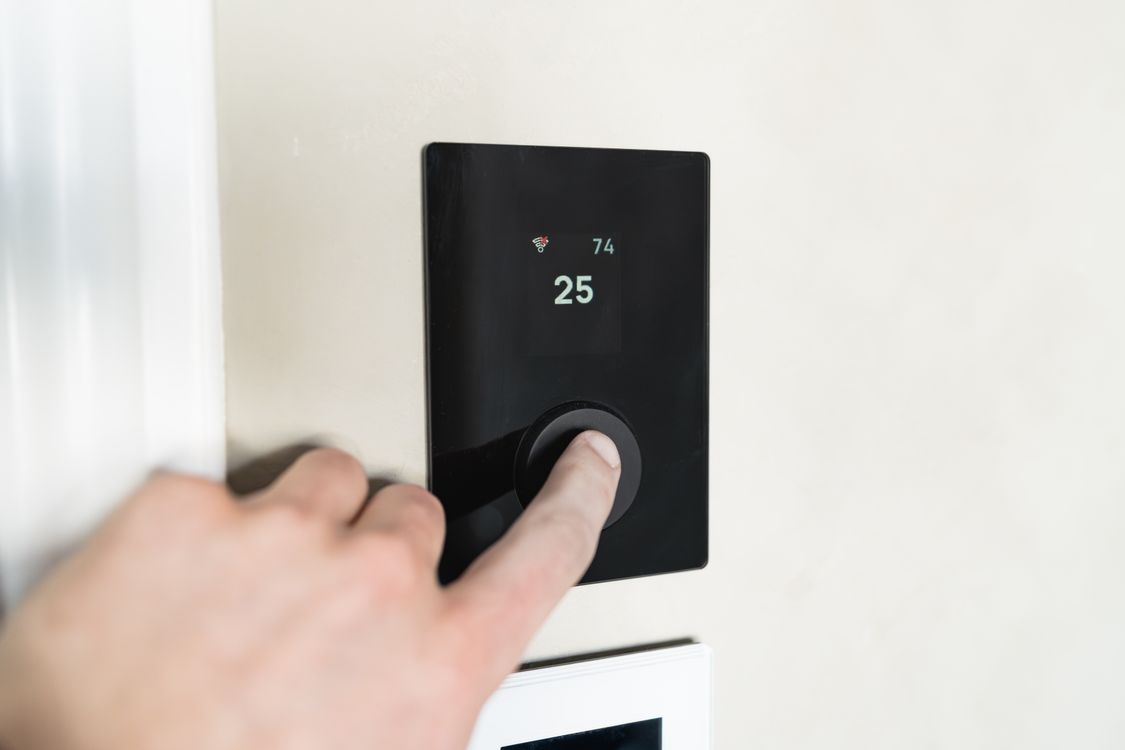
The fourth-generation Nest is the one most people should look at first. It learns your schedule, adjusts based on outdoor weather, and comes with a separate temperature sensor you can place in another room, which helps if the thermostat sits in a hallway that’s always warmer or cooler than where you actually spend time.
- Price: about $280
- Highlights: learning schedule, outdoor-aware adjustments, system health alerts, included room sensor
- Works with: Google Home, plus Apple Home and Alexa through Matter
- Downsides: pricier than rivals, no occupancy sensing in the remote sensor
Matter support is the quiet advantage here. It means the Nest is no longer a Google-only device, so you can control it from Apple Home or Alexa if your household is mixed.
ecobee Smart Thermostat Premium: Best for Room-by-Room Comfort
ecobee’s flagship takes a different approach. Its remote sensors detect occupancy as well as temperature, so it can prioritize the rooms people are actually in. If you have a bedroom that’s always too cold at night, this is the thermostat that fixes it.
- Price: about $250
- Highlights: occupancy-sensing remote sensor, built-in Alexa speaker, air quality monitoring
- Works with: Alexa, Google Home, Apple Home, SmartThings
- Downsides: bulkier design and no native Matter support
Several reviewers rate the ecobee Premium as the best smart thermostat overall, especially for larger homes with uneven temperatures.
Budget Picks: Amazon Smart Thermostat and Google Nest Thermostat
You don’t need to spend $250 to get most of the savings. The Amazon Smart Thermostat, typically around $80, handles schedules and Alexa control well. The standard Google Nest Thermostat, around $130, adds a nicer display and good app control without the learning features. Both are a big step up from a manual thermostat.
Honeywell Home T9: Best Traditional Brand
If you want the familiar Honeywell name, the T9 supports room sensors like ecobee and integrates with Alexa and Google. It’s a solid, conservative choice, particularly if your HVAC installer already recommends Honeywell equipment.

Best Smart Thermostat Comparison
| Thermostat | Approx. price | Room sensors | Matter | Best for |
|---|---|---|---|---|
| Nest Learning (4th Gen) | $280 | Temperature sensor included | Yes | Most homes, mixed ecosystems |
| ecobee Premium | $250 | Occupancy + temperature | No | Uneven room temperatures |
| Honeywell Home T9 | $170 to $200 | Yes, optional | No | Traditional HVAC setups |
| Google Nest Thermostat | $130 | No | Yes | Simple upgrade |
| Amazon Smart Thermostat | $80 | No | No | Tight budgets, Alexa homes |
Check Your Wiring Before You Buy
The single most common smart thermostat problem isn’t the thermostat. It’s the wires behind it.
Most smart thermostats need a common wire, called a C-wire, to supply constant power to the display and Wi-Fi. Older homes often don’t have one. Before you buy:
- Turn off power to your HVAC system at the breaker or furnace switch.
- Remove your current thermostat’s faceplate and look at the terminal labeled C.
- Take a photo of the wiring before you disconnect anything. You’ll want it later.
- Run the manufacturer’s compatibility checker. Google, ecobee, and Honeywell all have online tools where you enter your wire labels.
If you don’t have a C-wire, don’t panic. ecobee includes a power extender kit with many models, some Nest models can work without one, and an HVAC technician can usually run a new wire inexpensively. Just know before you buy so you aren’t stuck with a dead thermostat on a cold evening.
Features That Actually Save Energy
Some features genuinely reduce your bill. Others are pleasant extras.
- Worth it: automatic schedules, away detection using your phone’s location, remote room sensors, and energy reports that show where your heating goes.
- Nice to have: built-in speakers, air quality readings, fancy displays.
- Often overlooked: pairing your thermostat with other devices. Closing smart blinds at sunset and opening them on sunny afternoons reduces how hard your heating works. An energy monitor shows you whether your settings are paying off.
Setup Tips for Winter
Once your new thermostat is installed, spend 15 minutes on the settings. That’s where most of the savings come from.
- Set a realistic schedule. Around 68°F when you’re home and awake, cooler at night and when you’re out, is the classic energy-saving pattern.
- Turn on away detection. Let the thermostat use your phone’s location so it doesn’t heat an empty house.
- Use the heat pump settings if you have one. Heat pumps should avoid big temperature swings that trigger expensive backup heat. Most smart thermostats have a specific setting for this.
- Connect it to your routines. Our guide to smart home climate control shows how to tie heating into bedtime and away routines.
Which Smart Thermostat Should You Buy?
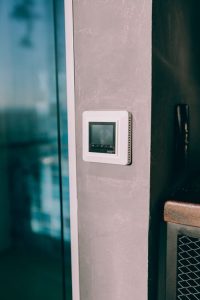
For most people, the Nest Learning Thermostat is the best smart thermostat to buy in 2026 thanks to its learning features and Matter support. If certain rooms are always too hot or too cold, choose the ecobee Premium for its occupancy sensors. And if you just want to stop heating an empty house, an $80 to $130 model gets you most of the savings.
Whatever you pick, check the wiring first and set it up before the coldest weeks arrive. Your future self, and your heating bill, will thank you.