Ceiling Fan Direction in Winter: The Simple Trick (and How to Automate It)
The right ceiling fan direction in winter is one of those small tricks that most people have heard of but few actually use. Warm air rises, so in a heated room the warmest air collects near the ceiling while you sit in the cooler air below. Running your ceiling fan slowly in the right direction gently pushes that warm air back down, so the room feels more comfortable without turning up the heat.
Add a smart fan or smart fan control, and you can automate it so the fan runs only when it helps. This guide explains which direction to use in winter, how much difference it really makes, and how to make your ceiling fans smart.
Which Ceiling Fan Direction in Winter?
In winter, set your fan to spin clockwise (when you look up at it) on the lowest speed.
Clockwise rotation pulls air up toward the ceiling, which pushes the warm air that has collected there outward along the ceiling and down the walls into the room. Because the fan runs slowly, you don’t feel a cooling breeze, just more even warmth.
In summer, switch back to counterclockwise at a higher speed. That pushes air straight down to create a cooling breeze on your skin.
Quick check: stand under the fan on a higher speed. If you feel a strong breeze, it’s in summer mode. In winter mode you should feel very little air movement.

How to Change the Direction
- Standard fans: look for a small switch on the motor housing, just above the blades. Turn the fan off, wait for the blades to stop, and flip the switch.
- Remote-controlled fans: many have a reverse button on the remote.
- Smart fans: you can usually change direction from the app.
Does It Really Save Energy?
The honest answer: it helps comfort more than it saves big money. The effect is strongest in rooms with high or vaulted ceilings, where a lot of warm air gets trapped up high. In a room with a standard eight-foot ceiling, the difference is smaller.
Where the savings come from is that a more even temperature may let you lower your thermostat a degree or two without feeling colder. The Department of Energy’s guide to fans also stresses an important rule: fans cool or circulate people, not rooms, so turn them off when you leave. A ceiling fan uses little power, but there’s no point running one in an empty room.
Make Your Ceiling Fans Smart
You have three main options, depending on your fan and wiring.
1. A Smart Fan Wall Control
If your fan is wired to a wall switch and you control speed with pull chains, a smart fan speed control replaces the wall switch and lets you set speed from your phone or voice assistant. Lutron’s Caseta fan speed control is a popular choice. Make sure the control is designed specifically for fans; a regular dimmer can damage a fan motor.
2. A Bridge for Remote-Controlled Fans
Many fans come with a radio remote. A bridge like the Bond Bridge learns those remote signals and connects your existing fan to an app, Alexa, and Google Home, with no rewiring.
3. A Fully Smart Ceiling Fan
If you’re replacing a fan anyway, smart ceiling fans from brands like Big Ass Fans (Haiku), Hunter, and others have Wi-Fi built in. Many include smart lighting, schedules, and app-controlled direction changes.

Ceiling Fan Upgrade Options Compared
| Option | Approx. cost | Changes direction remotely | Best for |
|---|---|---|---|
| Smart fan wall control | $60 to $100 | Usually no | Pull-chain fans on a wall switch |
| Bond Bridge | around $100 | Often yes, if the remote can | Fans with RF remotes |
| Smart ceiling fan | $250 and up | Yes | New installs and replacements |
Winter Ceiling Fan Automations
Once your fan is smart, a few simple automations make winter mode effortless:
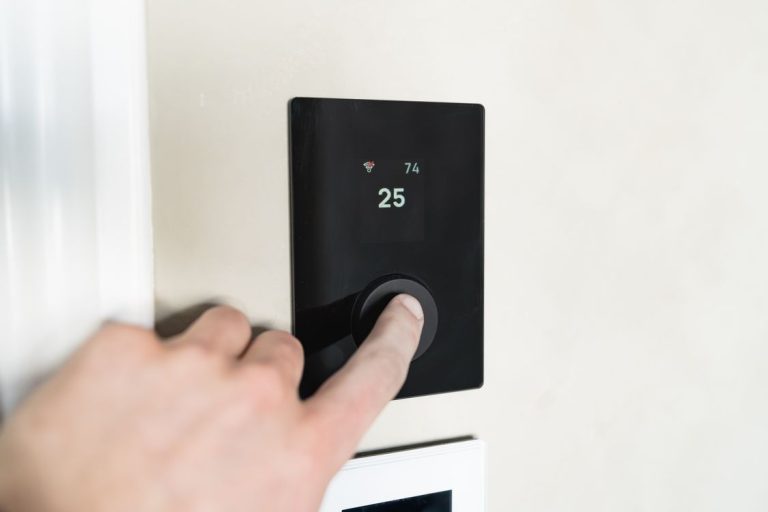
- Run with the heat: turn the fan on at low speed when the thermostat is heating and the room is occupied. Our best smart thermostat guide covers which models connect easily to other devices.
- Only when someone’s there: pair the fan with a presence sensor so it switches off when the room is empty.
- Fireplace mode: if you have a wood stove or fireplace, run the fan clockwise to spread its heat through the room.
- Seasonal switch: set a reminder, or an automation on smart fans, to switch direction in spring and fall.
Combine It With Other Winter Comfort Tricks
A ceiling fan works best as part of a broader winter strategy. Close smart blinds at sunset to keep heat in, keep humidity comfortable with a smart humidifier, since slightly more humid air feels warmer, and let your thermostat handle the schedule. Our guide to smart home climate control shows how these pieces work together.

The Bottom Line
The correct ceiling fan direction in winter is clockwise, on low. It costs nothing to change, makes rooms with high ceilings noticeably more comfortable, and may let you nudge your thermostat down a little. Making the fan smart, with a wall control, a bridge, or a smart fan, lets it run only when it’s actually helping. Take a minute this week to flip the switch on every fan in the house.